

As a prominent supplier of NFC Data Readers, I understand that our customers may sometimes encounter issues with these devices. Troubleshooting NFC Data Readers can seem daunting, but with a systematic approach, most problems can be resolved efficiently. In this blog, I'll share a comprehensive guide on how to troubleshoot an NFC Data Reader.
1. Check the Power Supply
The first step in troubleshooting any electronic device is to ensure it's receiving proper power. An NFC Data Reader requires a stable power source to function correctly.
- Verify the Power Connection: Check if the power cable is securely plugged into both the reader and the power outlet. A loose connection can lead to intermittent power supply, causing the reader to malfunction. In case of a wired power source, ensure there are no visible damages to the cable.
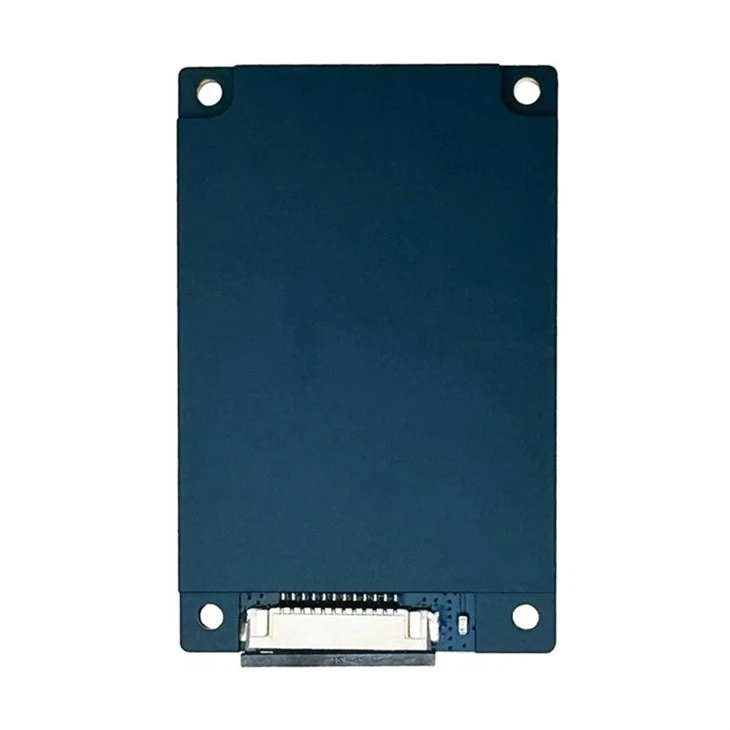
- Inspect the Power Indicator: Most NFC Data Readers come with a power indicator light. If this light is not illuminated, it indicates a power issue. Try using a different power outlet or a compatible power adapter. For example, our UHF Reader Module has a clear power indicator that can quickly show if the device is getting power.
2. Examine the Physical Condition
Physical damage can significantly affect the performance of an NFC Data Reader.
- Look for External Damage: Inspect the reader for any signs of physical trauma, such as cracks, dents, or broken parts. It's possible that the reader was damaged during shipping or handling. If you find any damage, contact our support team immediately for replacement or repair options.
- Clean the Reader: Dust, dirt, or debris can accumulate on the NFC antenna or the reader's surface, interfering with signal transmission. Use a soft, dry cloth to gently clean the exterior of the reader. Avoid using abrasive materials that could scratch the surface.
3. Review the Configuration Settings
Incorrect configuration settings are a common cause of NFC Data Reader problems.
- Check the Communication Parameters: Ensure that the reader is configured with the correct communication protocol (e.g., USB, RS232, Ethernet). Incorrect protocol settings can prevent the reader from communicating effectively with the host system. Refer to the user manual for detailed instructions on how to configure these settings.
- Verify the Operating Frequency: NFC Data Readers operate within specific frequency ranges. Make sure the reader is set to the appropriate frequency for your application. Incorrect frequency settings can result in poor read performance or no reads at all.
4. Test the Antenna
The antenna is a crucial component of an NFC Data Reader, as it is responsible for transmitting and receiving signals.
- Check the Antenna Connection: Ensure that the antenna is properly connected to the reader. A loose or faulty antenna connection can lead to weak signal strength and unreliable read performance. If possible, try reconnecting the antenna to ensure a secure fit.
- Inspect the Antenna for Damage: Look for any visible signs of damage to the antenna, such as frayed wires or bent elements. A damaged antenna can significantly reduce the range and effectiveness of the reader. If you suspect antenna damage, consider replacing it with a compatible antenna.
5. Evaluate the Surrounding Environment
The environment in which the NFC Data Reader operates can have a significant impact on its performance.

- Check for Interference: NFC signals can be affected by electromagnetic interference (EMI) from other electronic devices. Keep the reader away from sources of EMI, such as power supplies, motors, or microwave ovens. If interference is suspected, try moving the reader to a different location.
- Consider the Proximity to Metal Objects: Metal objects can absorb and reflect NFC signals, reducing the reader's range and performance. Avoid placing the reader too close to large metal objects, such as filing cabinets or metal shelves.
6. Test with Different Tags
Sometimes, the problem may not be with the reader itself but with the NFC tags being used.
- Use Known - Good Tags: Test the reader with a set of known - good NFC tags. If the reader can read these tags but not others, the issue may lie with the unreadable tags. Check the tags for damage or incorrect encoding.
- Verify Tag Compatibility: Ensure that the NFC tags you are using are compatible with the reader. Different readers support different types of NFC tags, such as ISO 14443 or ISO 15693. Refer to the reader's specifications to confirm tag compatibility.
7. Software and Firmware Updates
Outdated software or firmware can cause various issues with NFC Data Readers.
- Check for Software Updates: If the reader is connected to a computer, ensure that the software used to interface with the reader is up - to - date. Software updates often include bug fixes and performance improvements.
- Update the Firmware: Check if there are any available firmware updates for the reader. Firmware updates can enhance the reader's functionality, improve read performance, and address security vulnerabilities. Follow the manufacturer's instructions carefully when updating the firmware.
8. Seek Professional Support
If you have tried all the above troubleshooting steps and still cannot resolve the issue, it's time to seek professional support.
- Contact our Support Team: Our support team is composed of experienced technicians who can provide in - depth troubleshooting assistance. We can help diagnose the problem remotely or guide you through more advanced troubleshooting procedures.
- Consider On - Site Service: In some cases, on - site service may be required to resolve complex issues. Our technicians can visit your location to inspect the reader, identify the root cause of the problem, and carry out necessary repairs or replacements.
If you are experiencing any issues with our NFC Data Readers, such as our Fixed UHF RFID Reader or UHF Fixed Reader, don't hesitate to reach out to us for assistance. We take pride in providing high - quality products and excellent customer service. Whether you need help with troubleshooting, product selection, or have any other questions related to NFC technology, we are here to support you. If you are interested in purchasing our NFC Data Readers for your business needs, we invite you to start a conversation with our sales team. We are eager to discuss how our products can meet your specific requirements and help you achieve your business goals.
References
- NFC Technology Standard Documents
- User Manuals of Our NFC Data Readers


